123Pan CV

123云盘提取码管理脚本:自动保存、表格管理、跳转链接、复制提取码、导入导出、防止自动写入剪贴板

You will need to install an extension such as Tampermonkey, Greasemonkey or Violentmonkey to install this script.

You will need to install an extension such as Tampermonkey to install this script.

You will need to install an extension such as Tampermonkey or Violentmonkey to install this script.

You will need to install an extension such as Tampermonkey or Userscripts to install this script.

You will need to install an extension such as Tampermonkey to install this script.

You will need to install a user script manager extension to install this script.

(I already have a user script manager, let me install it!)

You will need to install an extension such as Stylus to install this style.

You will need to install an extension such as Stylus to install this style.

You will need to install an extension such as Stylus to install this style.

You will need to install a user style manager extension to install this style.

You will need to install a user style manager extension to install this style.

You will need to install a user style manager extension to install this style.

(I already have a user style manager, let me install it!)

Forfatter
Chumor
Daglige installasjoner
0
Totale installasjoner
31
Vurderinger
0 0 0
Versjon
1.5.0
Lagd
28.08.2025
Oppdatert
12.10.2025
Size
39,8 kB
Lisens
MIT
Gjelder

123Pan CV - 123云盘提取码管理脚本

Javascript 123云盘 License

📖 项目简介

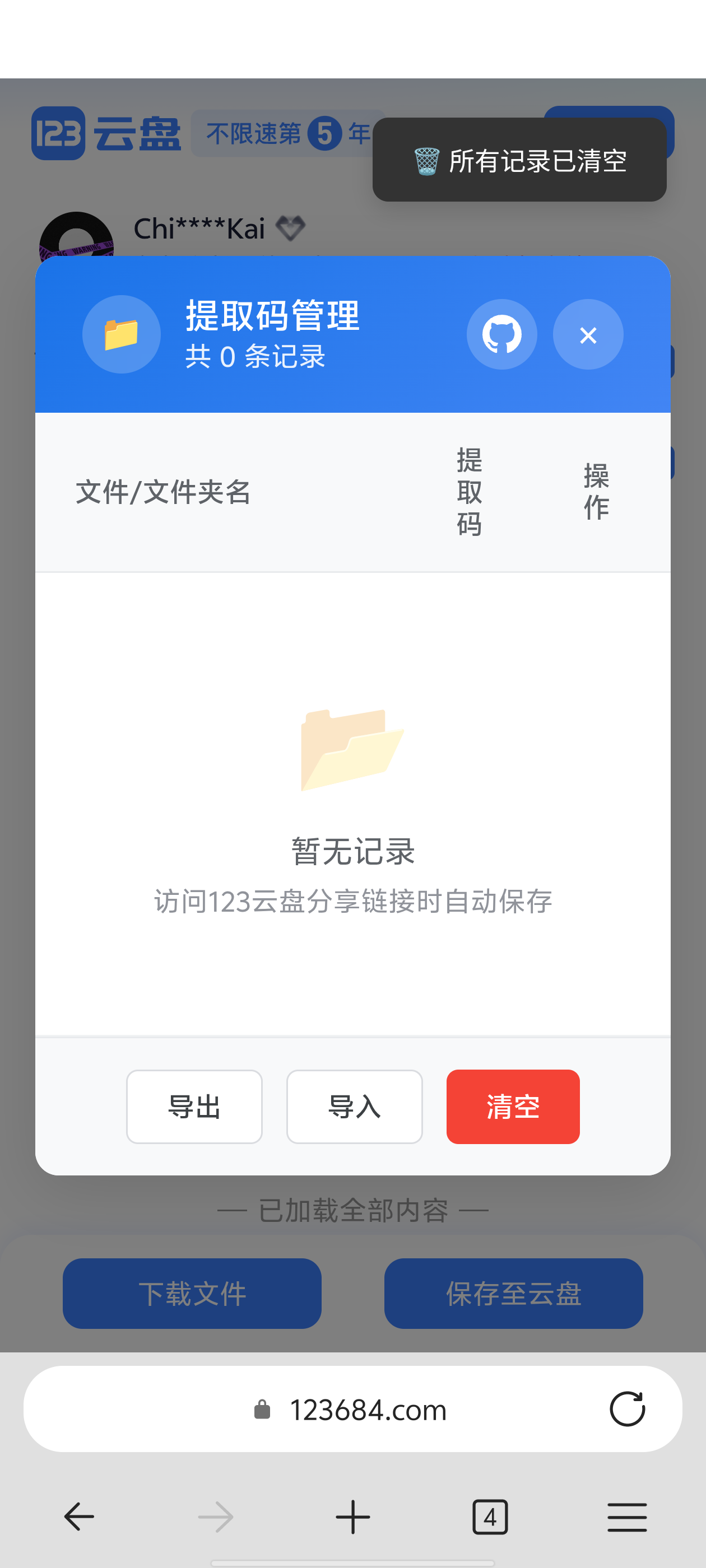
123Pan CV 是专为 123 云盘打造的用户脚本,提供智能提取码管理方案——自动识别、保存并归档提取码,显著提升分享链接的使用效率。

1000035934 1000035938

✨ 核心功能

🔍 智能识别

  • 自动检测 - 智能识别页面中的文件名和提取码
  • 多源捕获 - 支持 localStorage、sessionStorage、cookie 和输入框多种来源
  • 精准匹配 - 排除纯数字误识别,确保提取码准确性

💾 数据管理

  • 表格展示 - 清晰的记录表格,支持排序和筛选
  • 一键复制 - 点击提取码即可复制到剪贴板
  • 导入导出 - JSON格式备份,数据迁移无忧
  • 云同步 - 支持 Tampermonkey 云端同步

🛡️ 隐私保护

  • 剪贴板保护 - 阻止123云盘自动写入剪贴板
  • 本地存储 - 所有数据仅保存在浏览器本地
  • 无服务器传输 - 绝不上传用户数据

🔗 便捷操作

  • 快速跳转 - 点击文件名直接访问分享链接
  • 批量管理 - 支持多条记录同时操作
  • 菜单集成 - Tampermonkey 菜单快捷命令

⚠️ 免责声明

本脚本仅供学习交流使用,请勿用于任何商业用途。使用本脚本产生的任何后果由用户自行承担。

🚀 快速安装

第一步:安装脚本管理器

首先需要安装以下任意一款脚本管理器扩展:

管理器 支持浏览器 链接
Tampermonkey Chrome, Firefox, Edge, Safari 官网
ScriptCat Chrome, Edge, 360等Chromium内核 官网

第二步:安装脚本

点击下方图标安装脚本:


点击上方徽章即可跳转安装页面

💡 前提:请先安装 TampermonkeyScriptCat 等用户脚本管理器。

🔒 隐私声明

  • 本脚本所有数据仅保存在浏览器本地,不会上传到服务器
  • 如果启用 Tampermonkey 云同步,则数据会同步到 Tampermonkey 云端
  • 提取码仅用于个人使用,脚本不会记录或泄露用户隐私信息

💬 问题与反馈

遇到问题或有建议,请在下方留言,或者通过以下链接提交 issue:

⭐ 评分

  • 您的评价对我们非常重要,请为脚本评分