ChatGPT-academic-prompt-helper

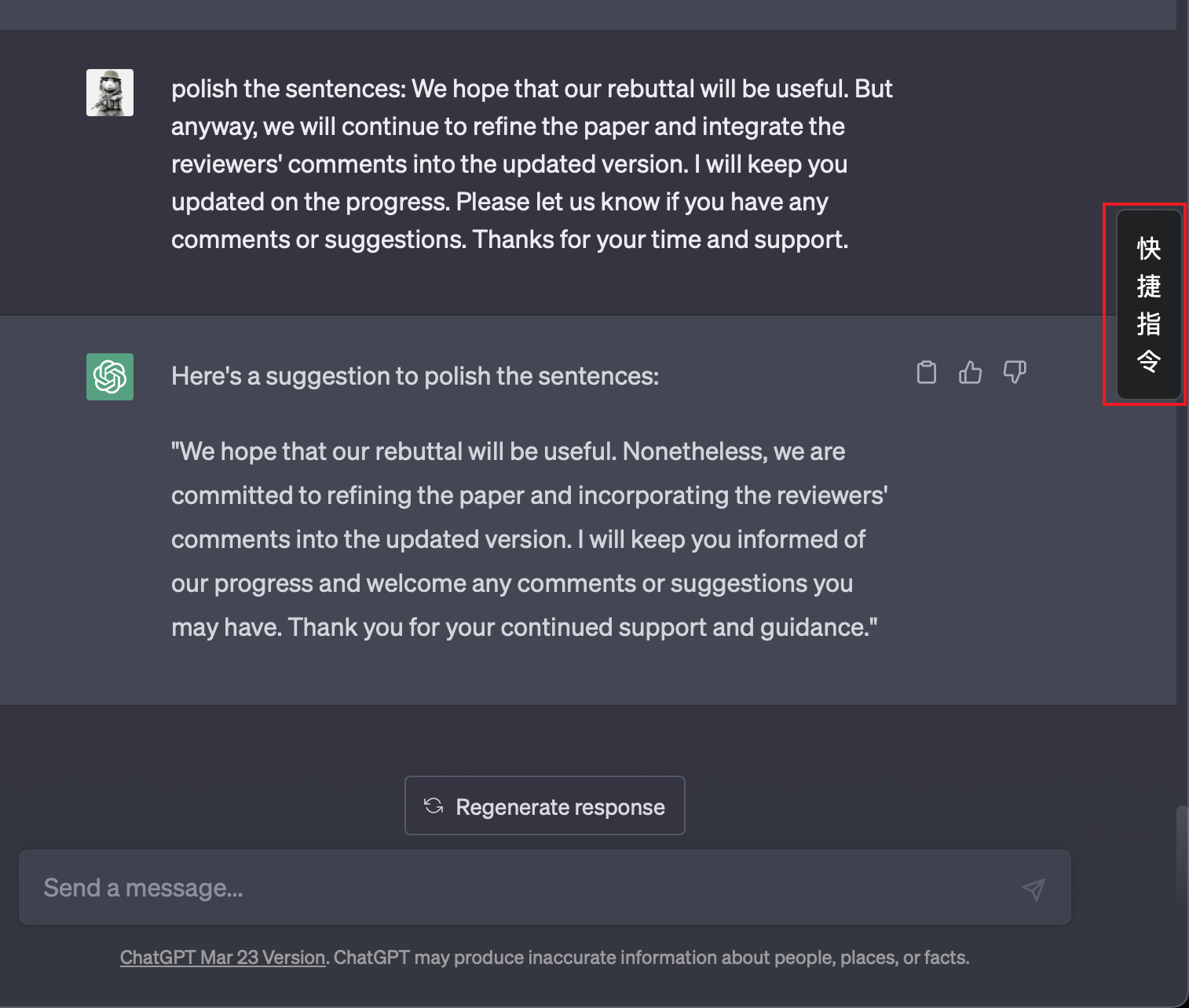
项目主页:https://github.com/ZinYY/chatgpt-academic-prompt-helper。 【ChatGPT 学术小助手】可以为你带来更好的网页版chatgpt使用体验:快速地添加快捷指令prompts。 本项目是一个油猴脚本 (Tampermonkey),旨在便于网页版 Chatgpt 的 prompt 输入,并内置了一些常用的学术 prompt 模板。 【Usage】【打开 prompt 面板】:单击侧边栏的 “快捷指令” 按钮,或者用快捷键 `command+shift+F` (Windows 用户使用 `ctrl+shift+F`)。 【输入 prompt】: 单击想要输入的 prompt 即可。prompt 会添加在输入框之前。 【关闭 prompt 面板】: 使用快捷键 `command+shift+F`, 或是按下 `ESC` 按键即可。 【自定义 prompt】: 自行修改 `chatgpt_academic_helper.js` 文件中的内容即可。

You will need to install an extension such as Tampermonkey, Greasemonkey or Violentmonkey to install this script.

You will need to install an extension such as Tampermonkey to install this script.

You will need to install an extension such as Tampermonkey or Violentmonkey to install this script.

You will need to install an extension such as Tampermonkey or Userscripts to install this script.

You will need to install an extension such as Tampermonkey to install this script.

You will need to install a user script manager extension to install this script.

(I already have a user script manager, let me install it!)

You will need to install an extension such as Stylus to install this style.

You will need to install an extension such as Stylus to install this style.

You will need to install an extension such as Stylus to install this style.

You will need to install a user style manager extension to install this style.

You will need to install a user style manager extension to install this style.

You will need to install a user style manager extension to install this style.

(I already have a user style manager, let me install it!)

Penulis
ZinYY
Pemasangan harian
0
Total pemasangan
2.076
Nilai
1 1 0
Versi
0.1.8
Dibuat
20 April 2023
Diperbarui
08 Januari 2025
ukuran
19,8 KB
Lisensi
MIT
Berlaku untuk

Chatgpt Academic Prompt Helper: ChatGPT 学术小助手

Github 仓库: https://github.com/ZinYY/chatgpt-academic-prompt-helper

本项目是一个油猴脚本 (Tampermonkey),旨在便于网页版 Chatgpt 的 prompt 输入,并内置了一些常用的学术 prompt 模板。

本项目根据 ChatGPT 插件脚本项目修改,主要自用。其中,学术 Prompt 内容借鉴了 ChatGPT 学术化项目。
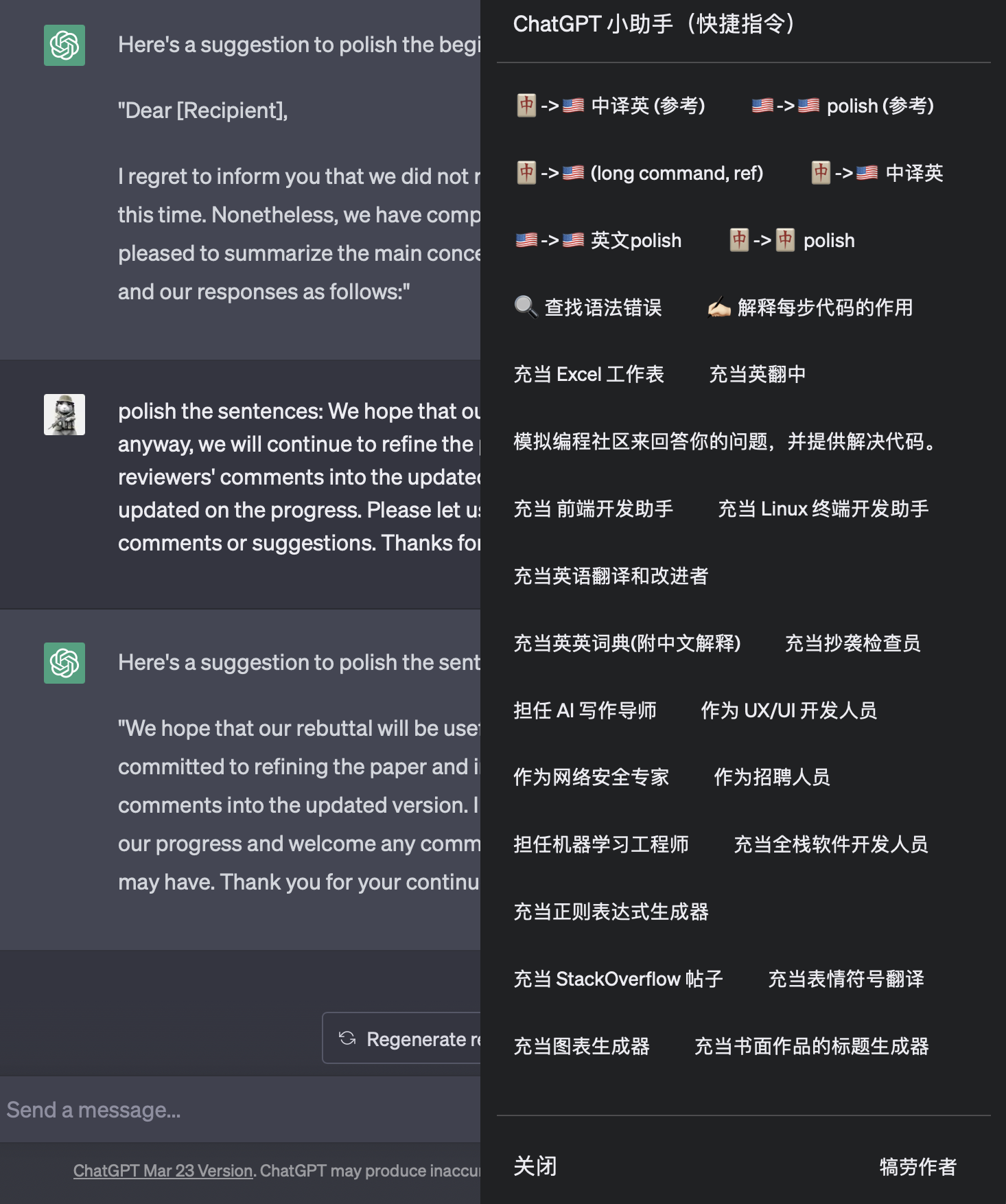
功能界面展示

Usage:

打开 prompt 面板:

点击按钮

单击侧边栏的 “快捷指令” 按钮,或者用快捷键 command+shift+F (Windows 用户使用 ctrl+shift+F)。

输入 prompt:

单击想要输入的 prompt 即可。prompt 会添加在输入框之前。

关闭 prompt 面板:

使用快捷键 command+shift+F, 或是按下 ESC 按键即可。或点击界面的任意位置即可关闭。

自定义 prompt:

自行修改 chatgpt_academic_helper.js 文件中的内容即可。

赞助:

如果你觉得脚本好用,可以请作者喝一杯咖啡:

赞助