Greasy Fork 还支持 简体中文。

Shift Space Toggle Youtube CE Element

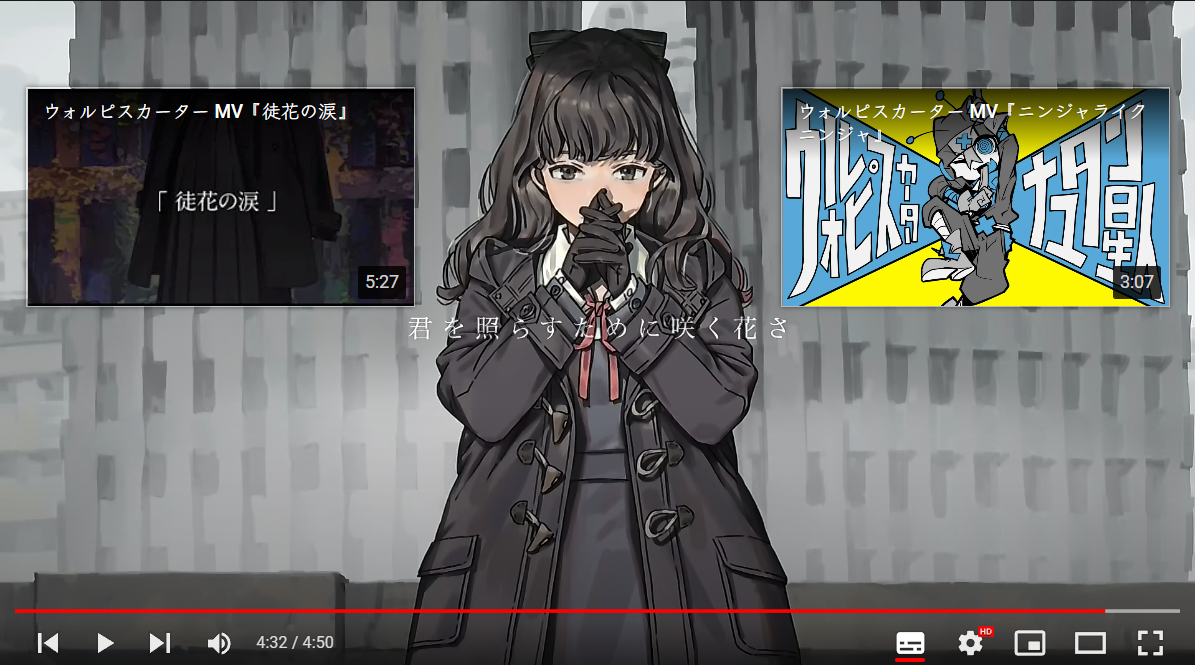
This is to toggle annoying Youtube CE Element near the end of the video

You will need to install an extension such as Tampermonkey, Greasemonkey or Violentmonkey to install this script.

You will need to install an extension such as Tampermonkey to install this script.

You will need to install an extension such as Tampermonkey or Violentmonkey to install this script.

You will need to install an extension such as Tampermonkey or Userscripts to install this script.

You will need to install an extension such as Tampermonkey to install this script.

You will need to install a user script manager extension to install this script.

(I already have a user script manager, let me install it!)

You will need to install an extension such as Stylus to install this style.

You will need to install an extension such as Stylus to install this style.

ستحتاج إلى تثبيت إضافة مثل Stylus لتثبيت هذا النمط.

ستحتاج إلى تثبيت إضافة لإدارة أنماط المستخدم لتتمكن من تثبيت هذا النمط.

ستحتاج إلى تثبيت إضافة لإدارة أنماط المستخدم لتثبيت هذا النمط.

ستحتاج إلى تثبيت إضافة لإدارة أنماط المستخدم لتثبيت هذا النمط.

(لدي بالفعل مثبت أنماط للمستخدم، دعني أقم بتثبيته!)
المؤلف
𝖢𝖸 𝖥𝗎𝗇𝗀
التثبيت اليومي
0
إجمالي التثبيت
180
التقييمات
2 0 0
الإصدار
0.5.1
تم إنشاؤه
24-04-2022
تم تحديثه
18-08-2022
الحجم
4.76 KB
الترخيص
MIT
ينطبق على

Near the end of video, CE Element popup and block your watching.
Click Shift-Space to toggle !